Cost planningStages 1 to 3
Cost planning from your documents
Cost framework, cost estimate and cost calculation to DIN 276, for work stages 1, 2 and 3. Jakob reads your documents and delivers Excel and presentation in your templates.
IN ONE SENTENCE
Jakob reads your documents, finds contradictions, asks and calculates with the prices from your archive.
- Cost framework, estimate, calculation
- DIN 276 to level 3, every figure sourced
- Excel and PowerPoint in your templates
JAKOB FOR COST PLANNING
From cost framework to cost calculation, with the prices of your own projects. Jakob calculates every stage to DIN 276 and keeps it current: when a new document arrives, costs, Excel and slides are updated minutes later.
Step 01
Read and check
Every document is read, every figure keeps its source. Contradictions show up right away.
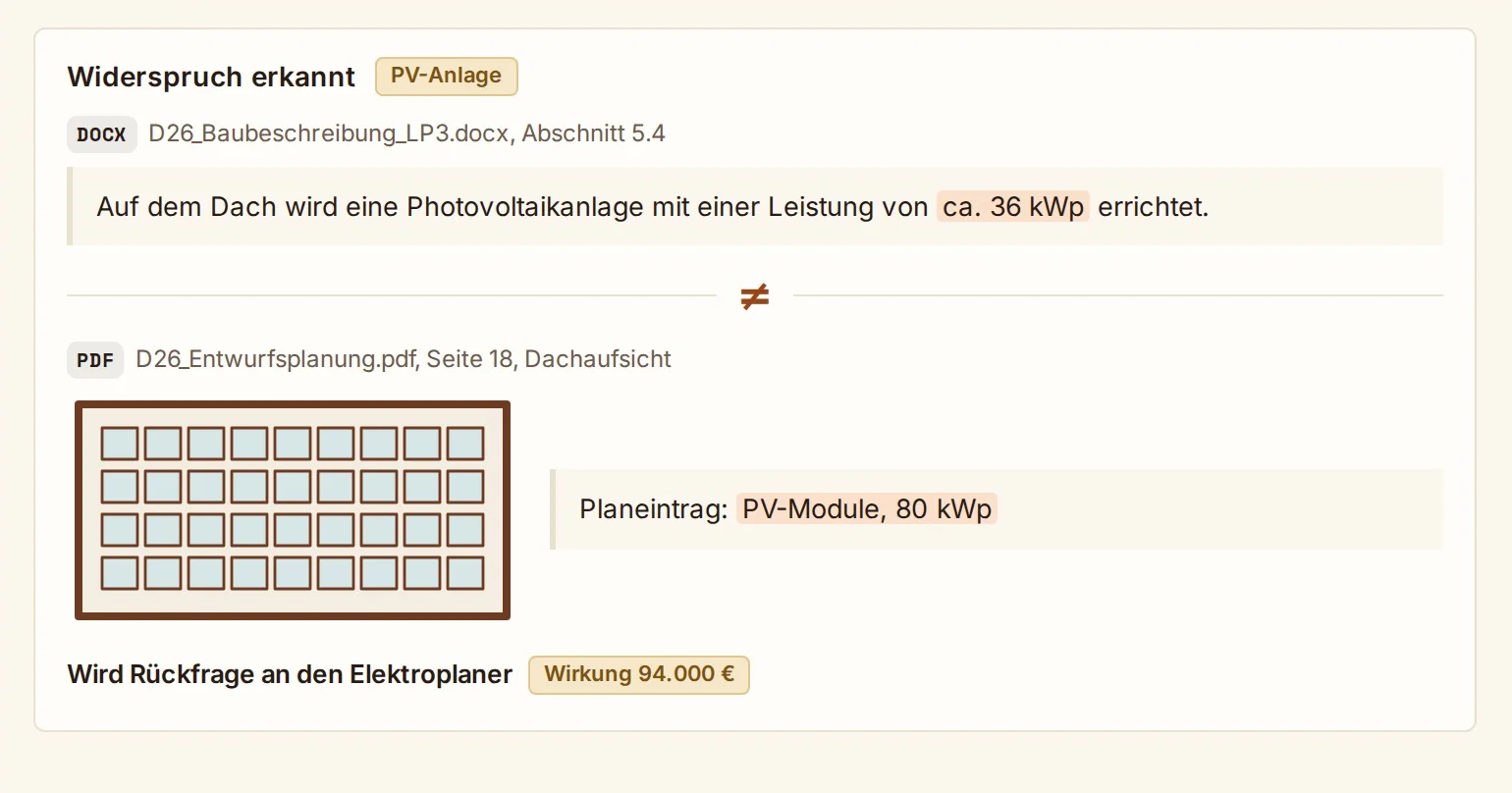
Contradictions found
The specification says 36 kWp, the design shows 80 kWp. Jakob puts both side by side and turns it into a question.
What you have
Plans as PDF, areas to DIN 277, schedule, specification, consultant estimates. All through the chat.
With its source
Every figure Jakob takes over names its document and place.
Ask, don’t guess
If a figure is missing or two documents disagree, it becomes a question.
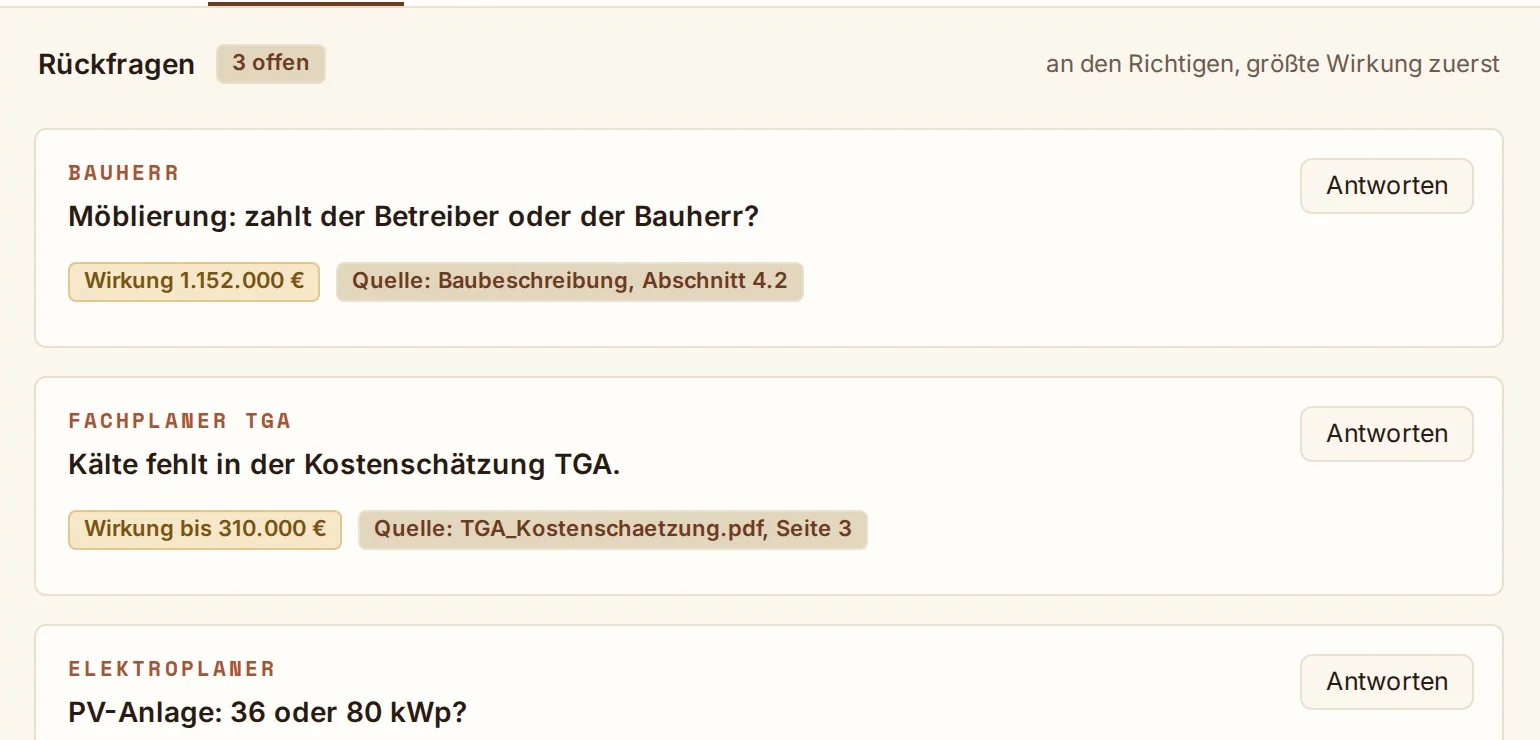
Questions to the right person
Sorted by client and consultant, largest impact first. Your answer in the chat is calculated right away.
€1.56m
Impact of the open questions
Impact in euros
Every open question shows how much it can move the total.
Step 02
Calculate to DIN 276
Cost framework, estimate or calculation, depending on the design stage.
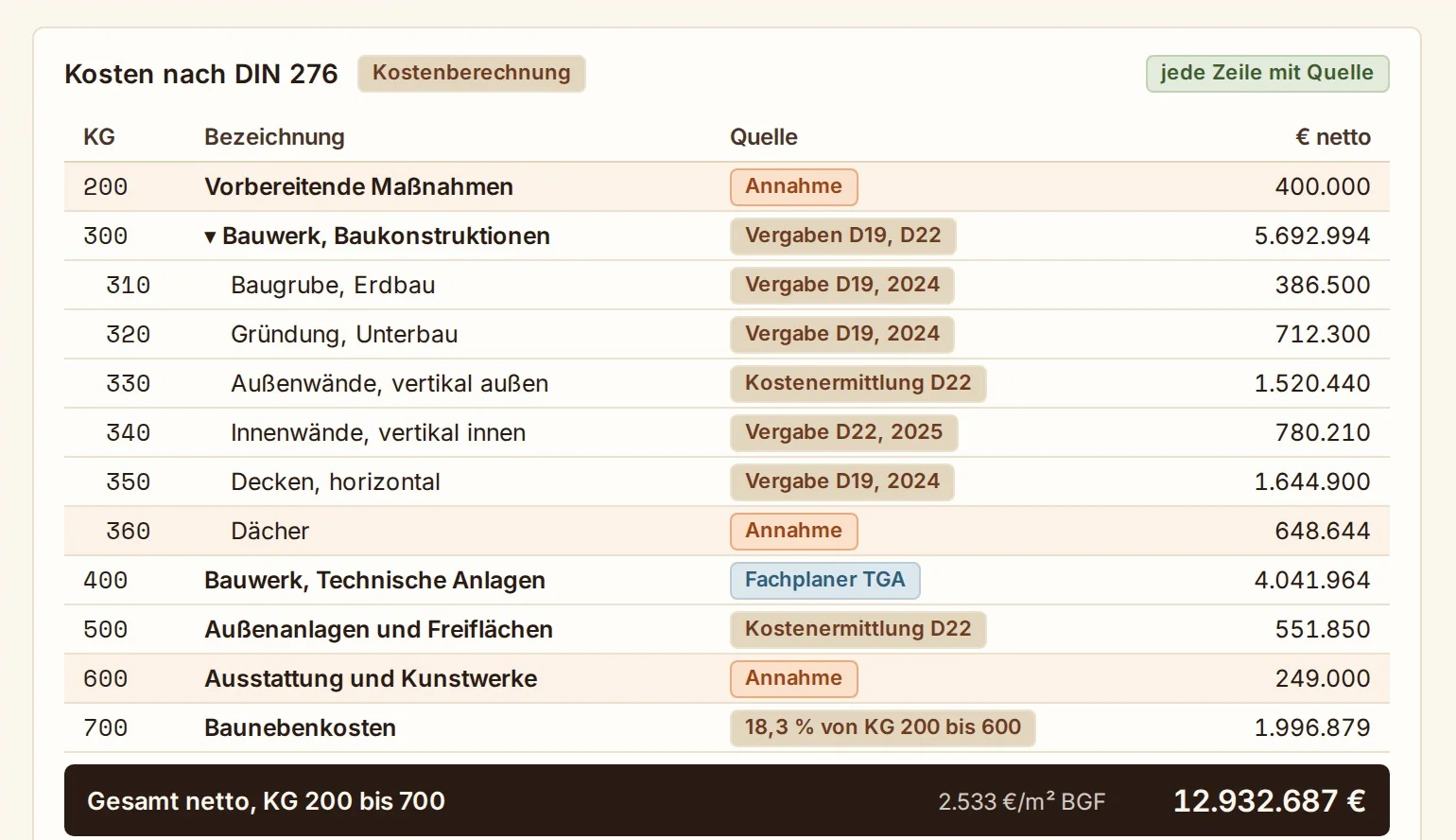
Costs to DIN 276
Cost groups expand down to level 3. Every line names its source: award, cost plan, consultant or assumption.
Your prices first
From your archive in the Company Brain: awards and cost plans of your finished projects, then your house template. Older prices are indexed to today.
Stage to DIN 276
Cost framework in stage 1, estimate in stage 2, calculation in stage 3. The stage follows your documents.
Ohne Quelle: orange markiert.
Assumptions marked
A unit price without a source is an assumption. It is shown in orange and can be replaced with one sentence.
Step 03
Excel and PowerPoint
Jakob builds the client presentation and Excel from your templates. When something changes, he refills them.
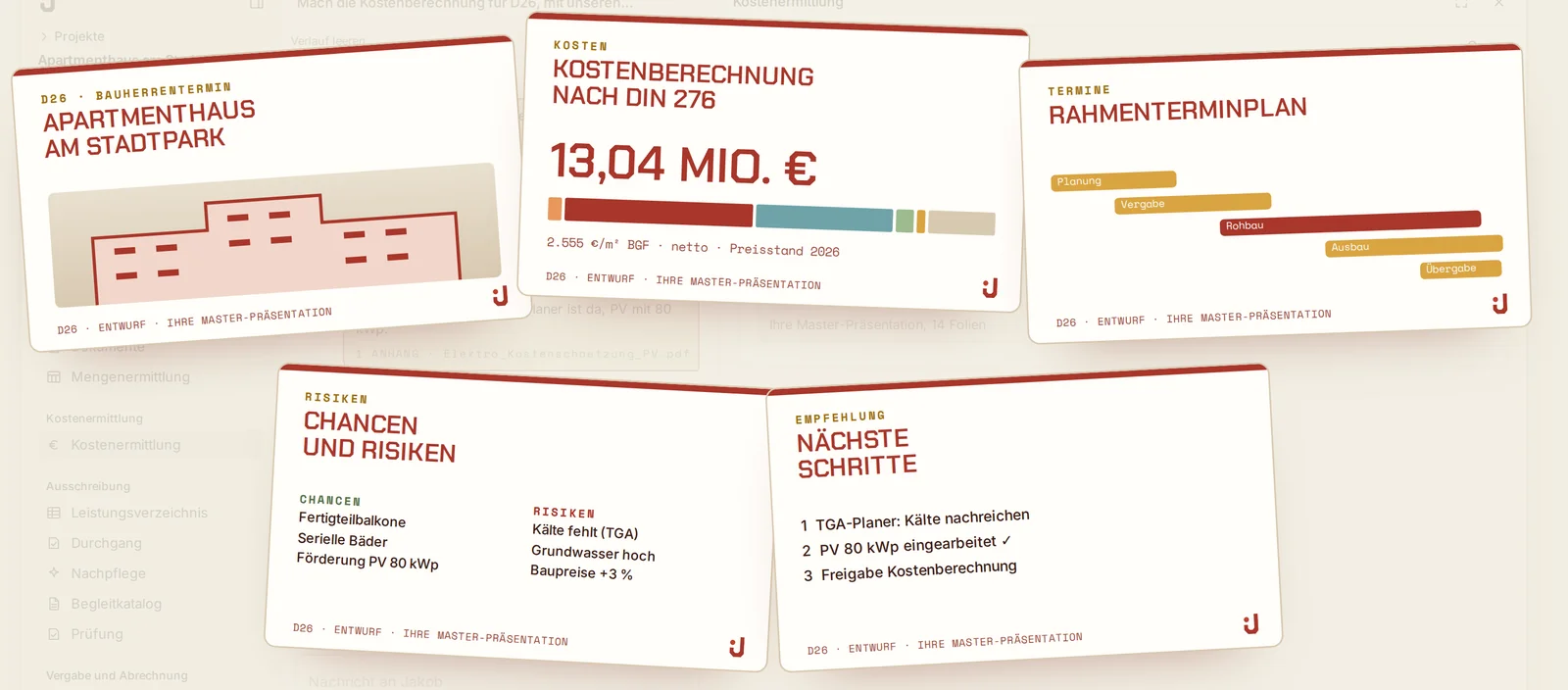
Slides in your template
Title, DIN 276 costs, schedule, opportunities and risks, recommendation. In your master presentation.
Your templates
Upload your Excel and presentation templates once. Jakob fills them with formulas, traceable in every cell.
Late documents
When the electrical engineer sends an estimate, drag it into the chat. The costs update live.
Change in one sentence
A client answer or a new figure is enough. Excel and presentation are saved as a new version.
Frequently asked questions
Which documents does Jakob need?
Whatever you have: plans as PDF, an area schedule, the time schedule, a specification and consultant estimates. The more there is, the fewer assumptions. Whatever is missing, Jakob asks for.
Where do the prices come from?
First from your own awards and cost plans, then from your house template, indexed to today. Where no price with a source exists, a marked assumption.
Framework, estimate or calculation?
As in DIN 276: framework in stage 1, estimate in preliminary design, calculation in design. The stage follows your documents.
Why costs before the BoQ?
Because the cost calculation sets the budget that the bill of quantities and the award are measured against. Jakob carries it forward: in the award every bid sits next to your target.
What if a consultant sends something later?
Drag the new document into the chat. Jakob adds it, recalculates the affected cost groups and saves Excel and presentation as a new version.
Do the slides look like our office?
Yes. Jakob fills your master presentation and your Excel template, set up once.